Generate your calendar by week or by month
Choose how much to plan at once — we recommend the full month.
Steps
The screenshots show RedesIA and the other apps with their interface in Spanish; the steps are the same in English.
- 1
Choose the period and add a topic if you want
In "Generate ideas" you choose the period (this week, the rest of the month, or the full month), how many posts and in which format. If there's a specific topic you definitely want to appear, write it there — at least one post will be about it, and the rest come from your niche's topics.
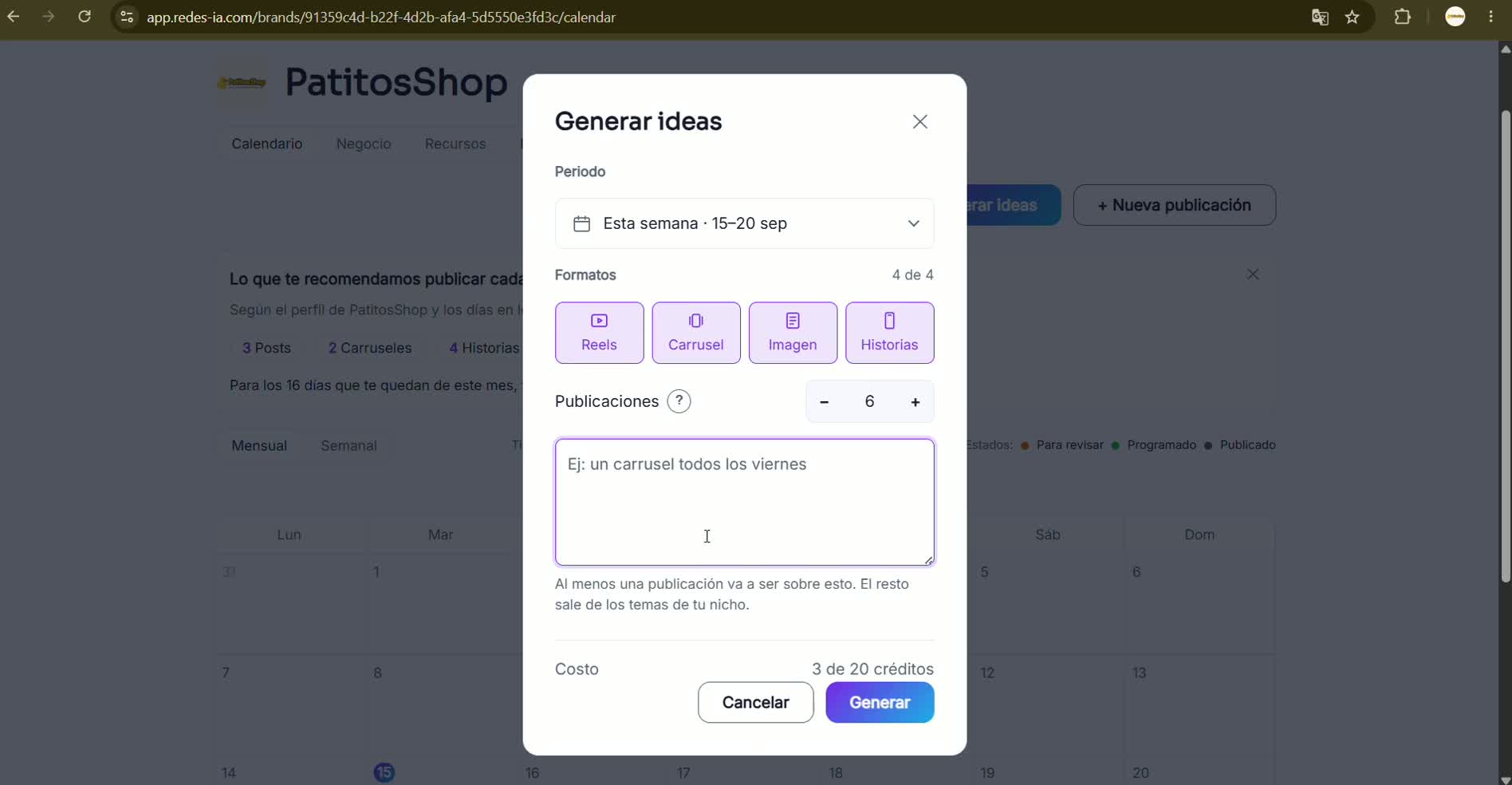 Recommendation: the full month is simpler — everything is planned at once, without having to come back every week to generate more.
 - 2
RedesIA puts it all together automatically
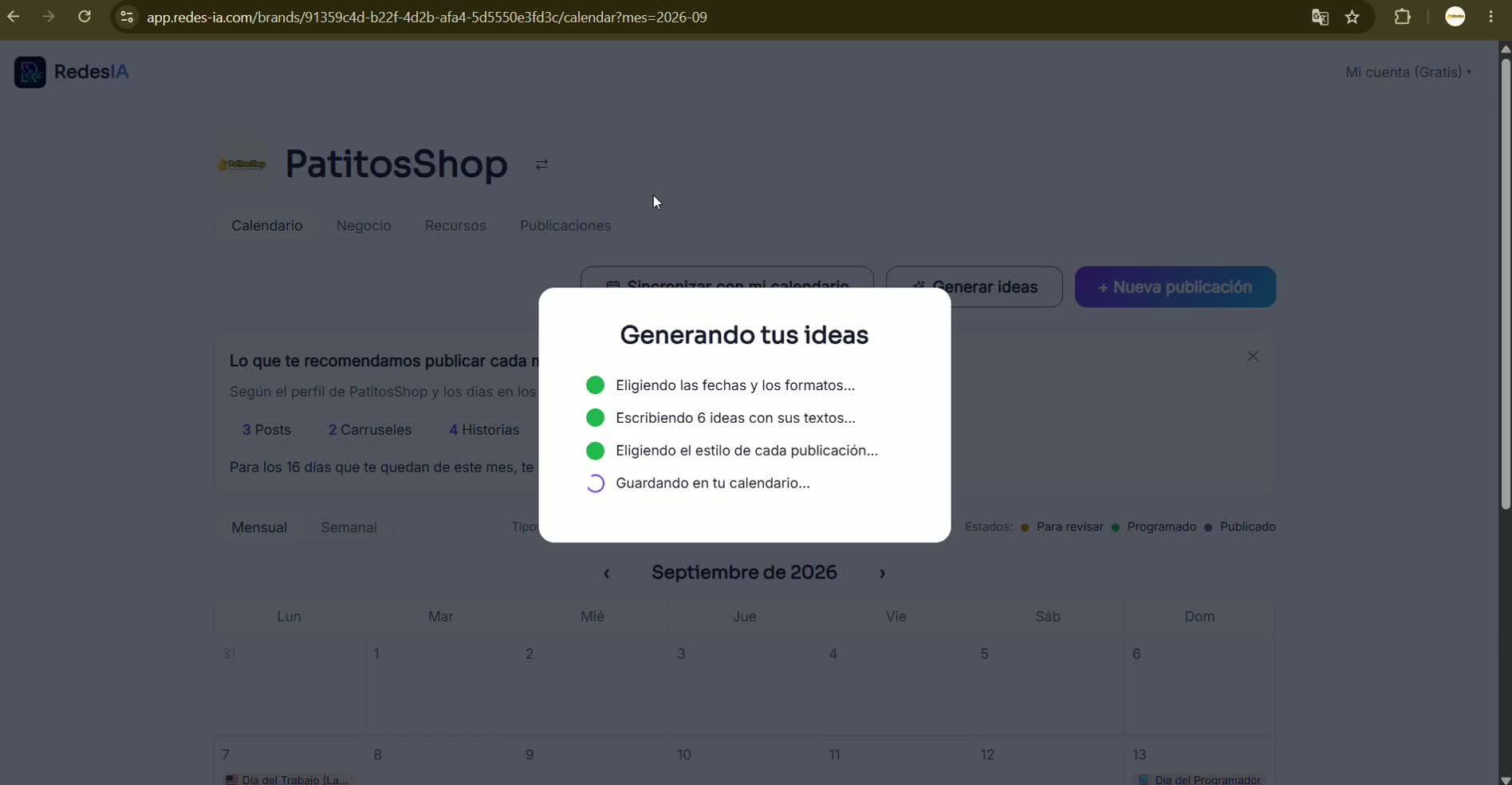
It picks the dates and formats, writes the text and hashtags for each idea, defines the style of each post and saves everything in your calendar — without you having to do anything else.
- 3
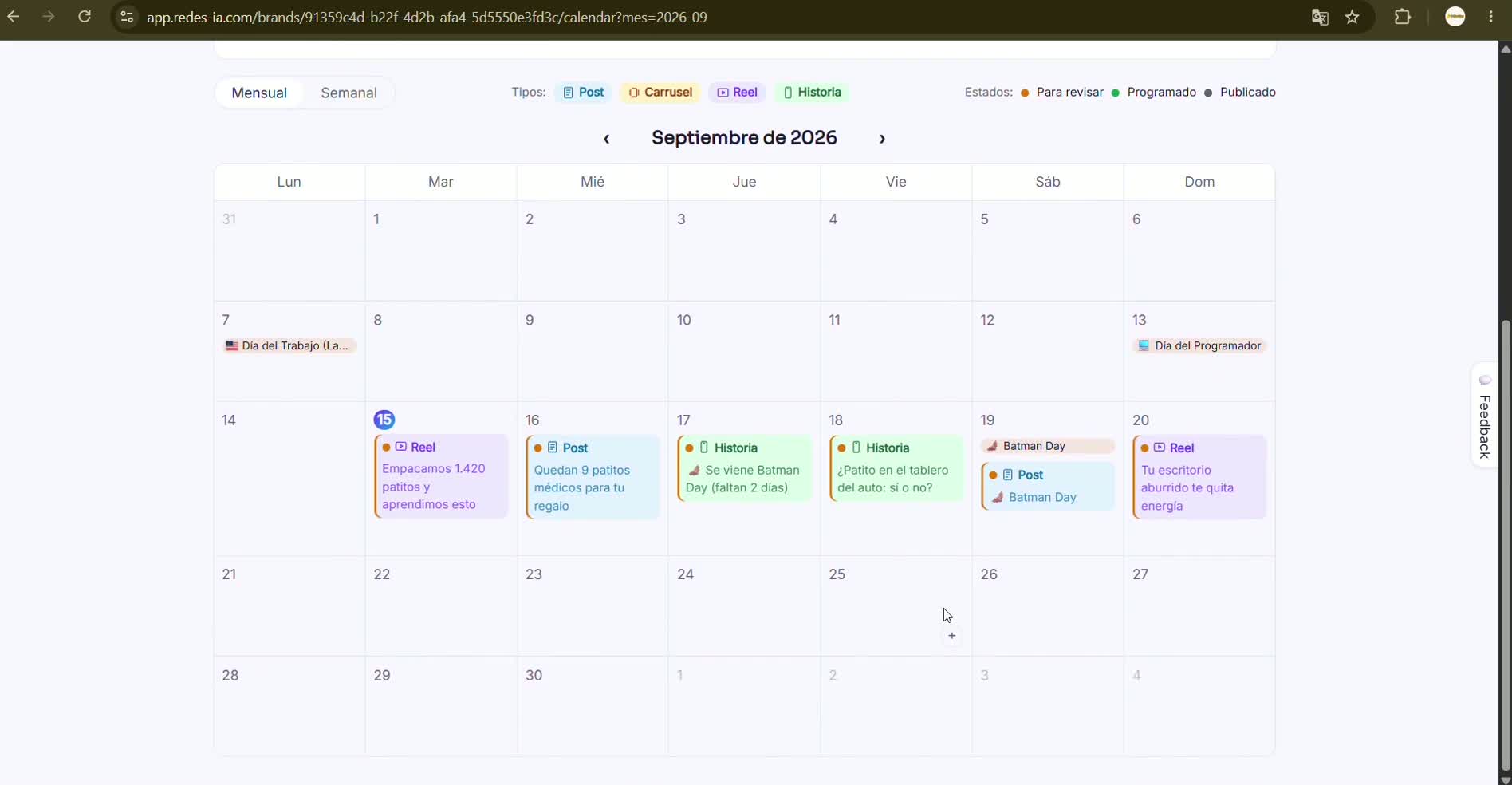
This is how your week looks
Each post appears color-coded by type (post, carousel, reel, story). If you generate by week, you can come back later to generate the next one or the rest of the month whenever you like.
- 4
This is how the full month looks
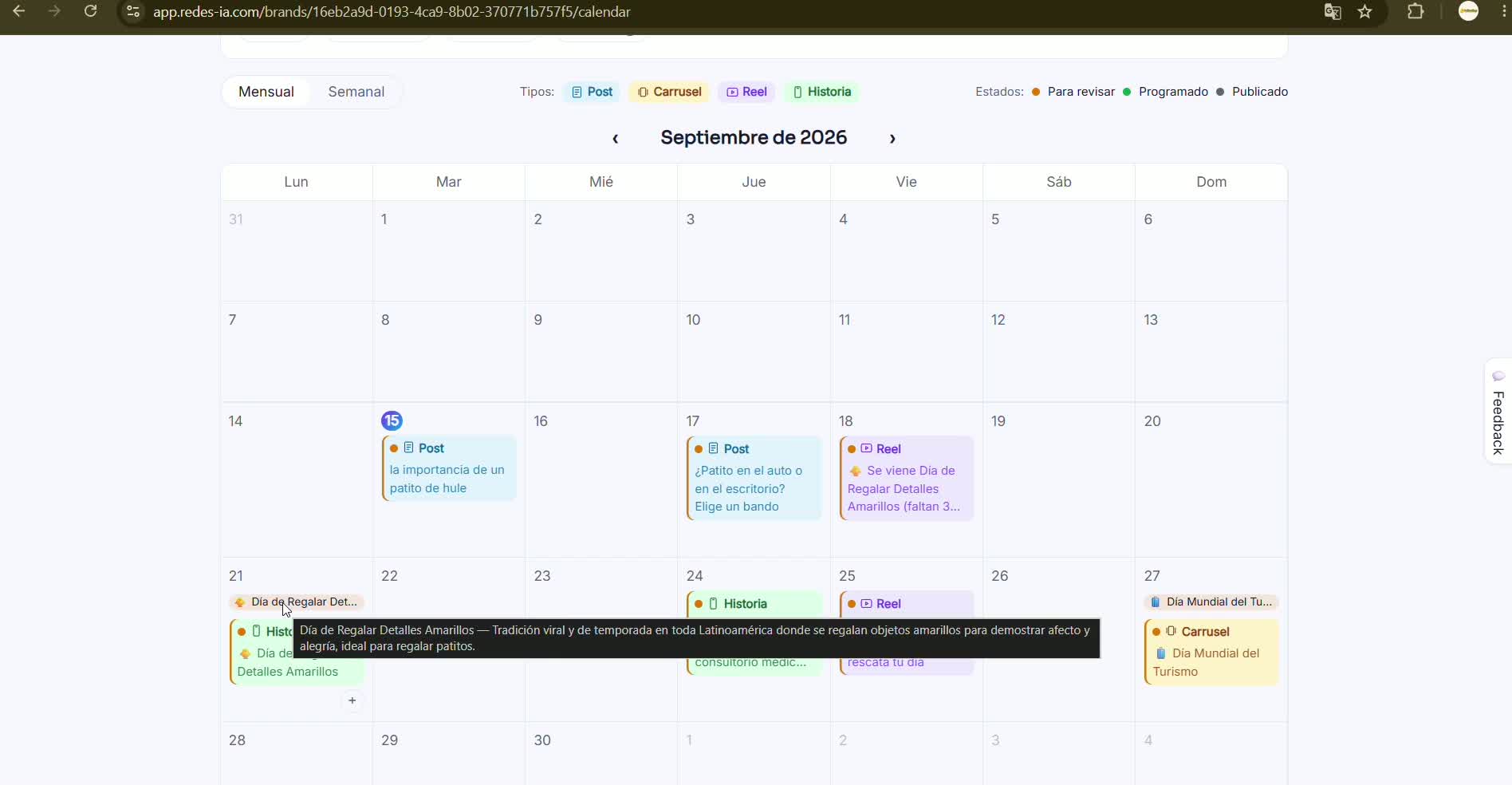
With the full month, RedesIA also takes into account the holidays and important dates in your country and adds an idea for each one — hover over a holiday to see why it recommends it.