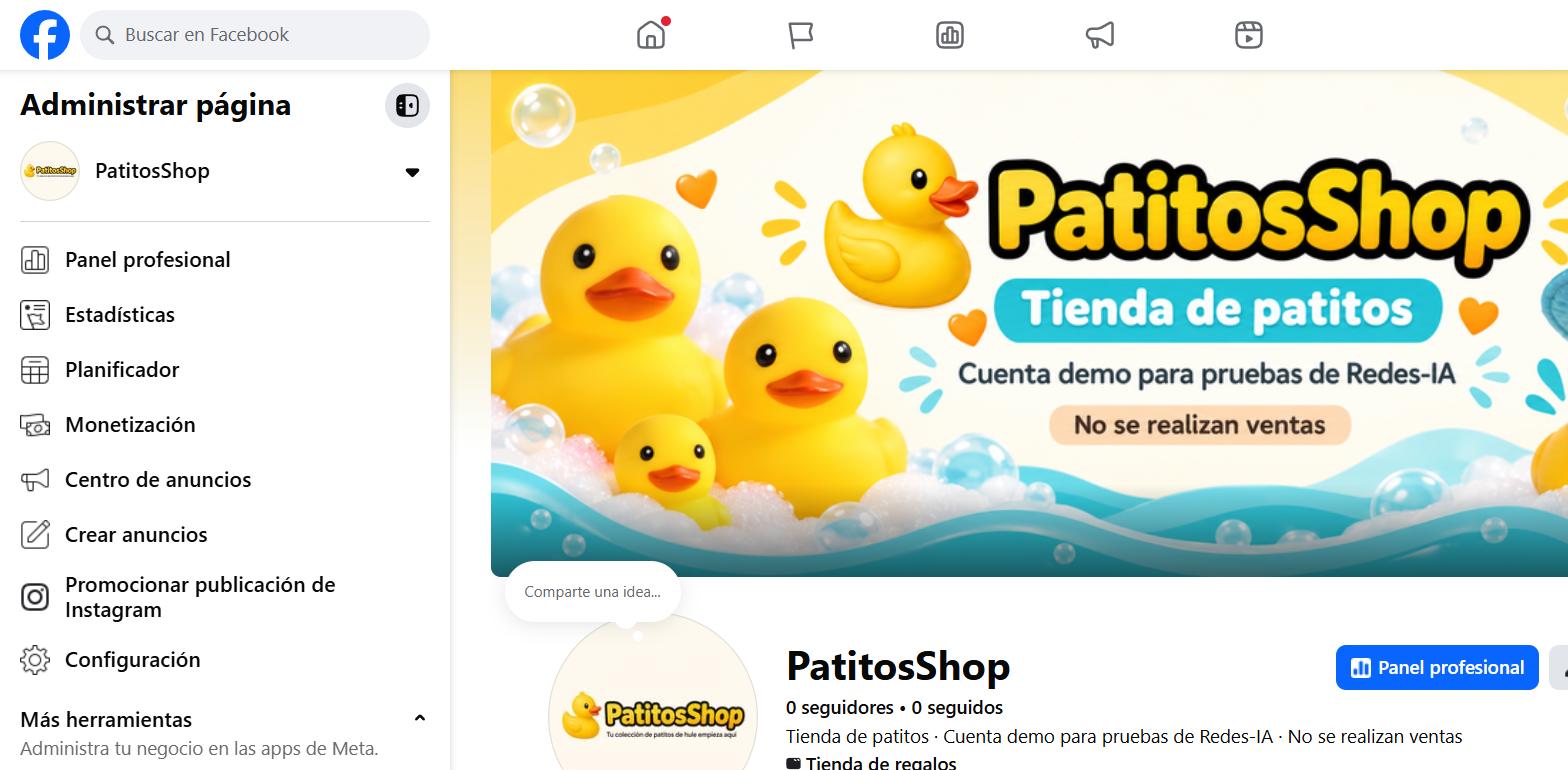
Create your business's Facebook Page
A Page is different from your personal profile — it's the one you'll connect to Instagram and to Meta Business Suite so you can publish from RedesIA.
Steps
The screenshots show RedesIA and the other apps with their interface in Spanish; the steps are the same in English.
- 1
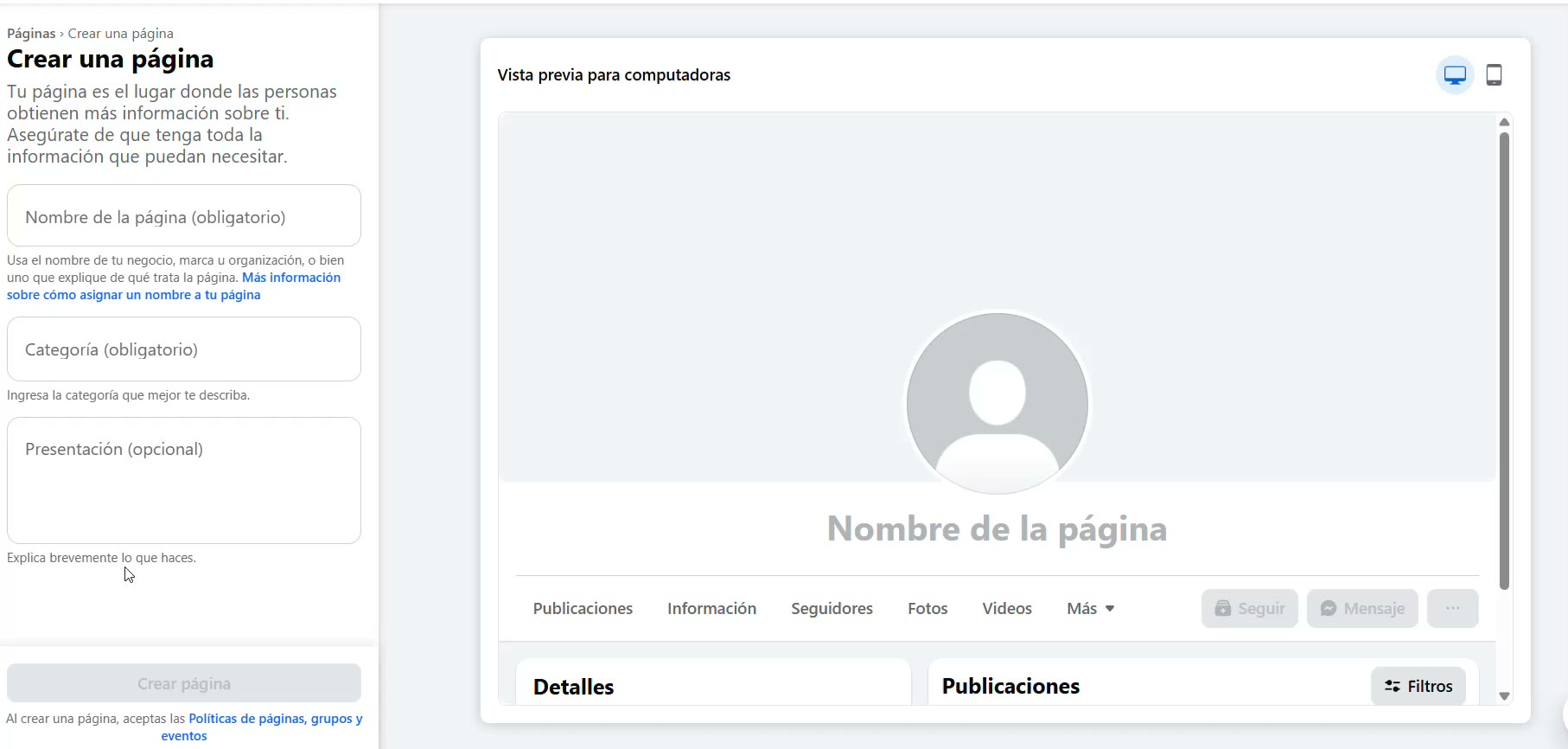
Go to Facebook and open "Pages"
From the side menu of your account, look for "Pages" and tap "Create new Page" — this takes you to this form.
- 2
Give it your business name
PatitosShop used the same name and category as on Instagram, so everything looks the same on both networks.
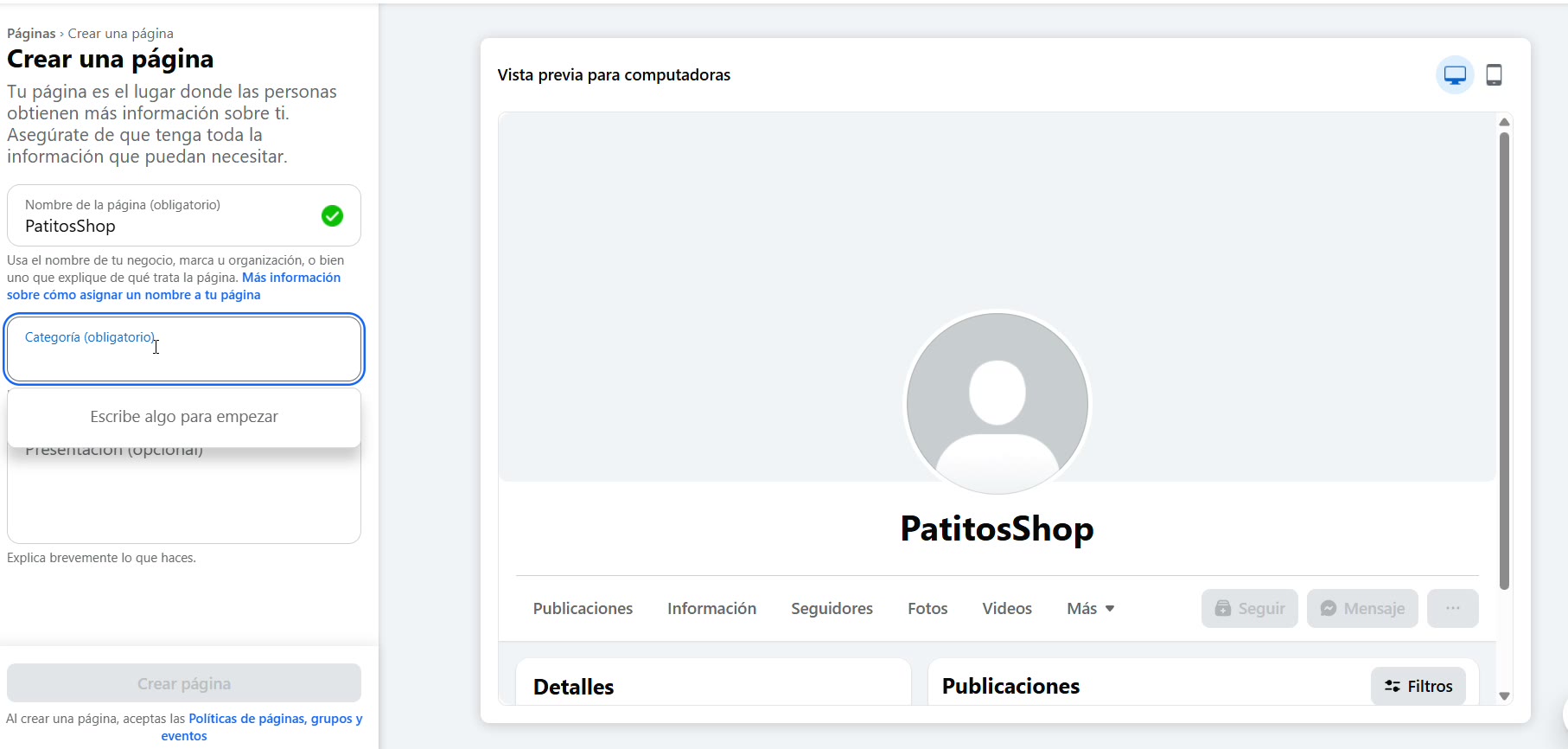 Use the same category on Facebook and Instagram — that makes it easier for Meta Business Suite to link them.
 - 3
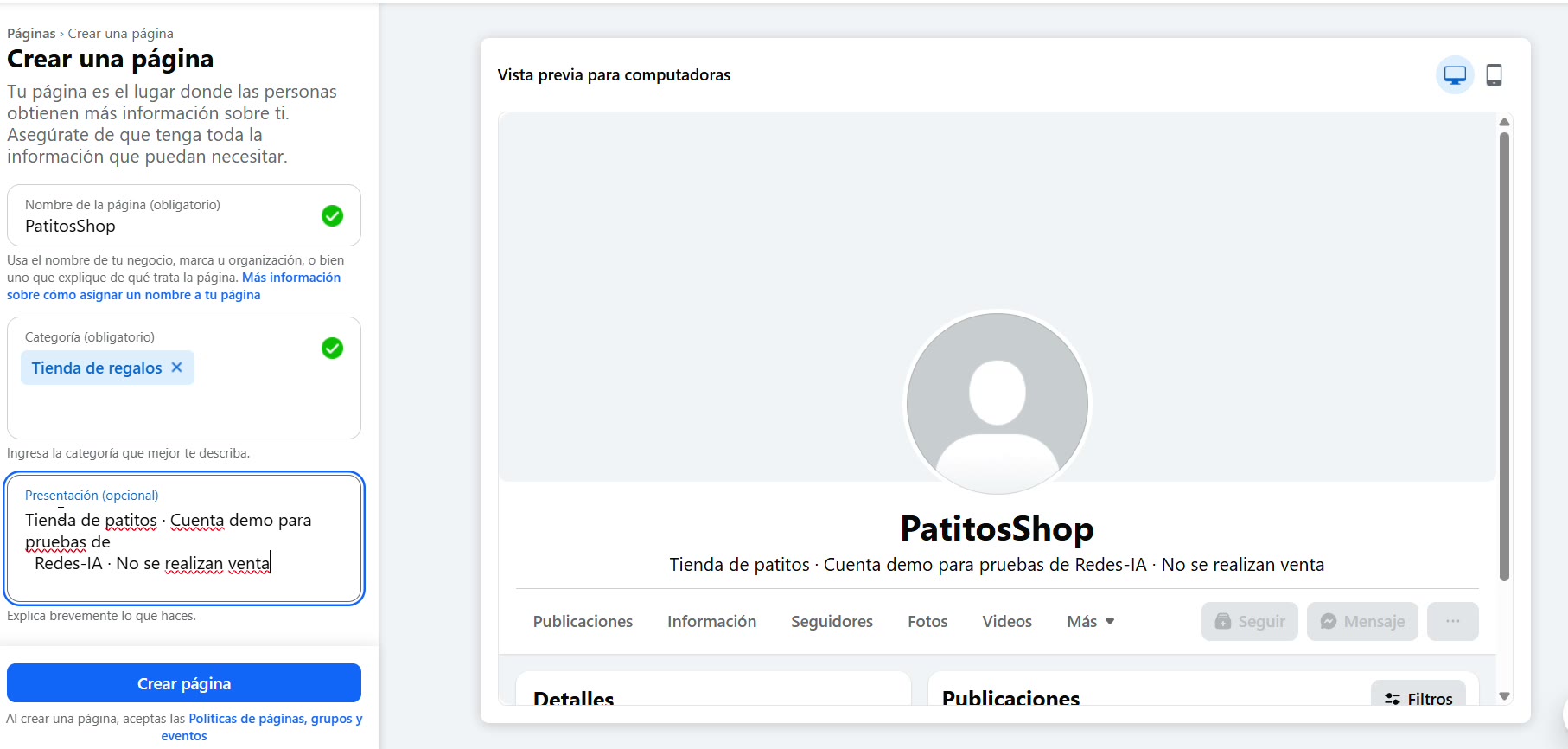
Write a short description
Say in one line what you sell or do. It's the first thing anyone who lands on your Page sees.
- 4
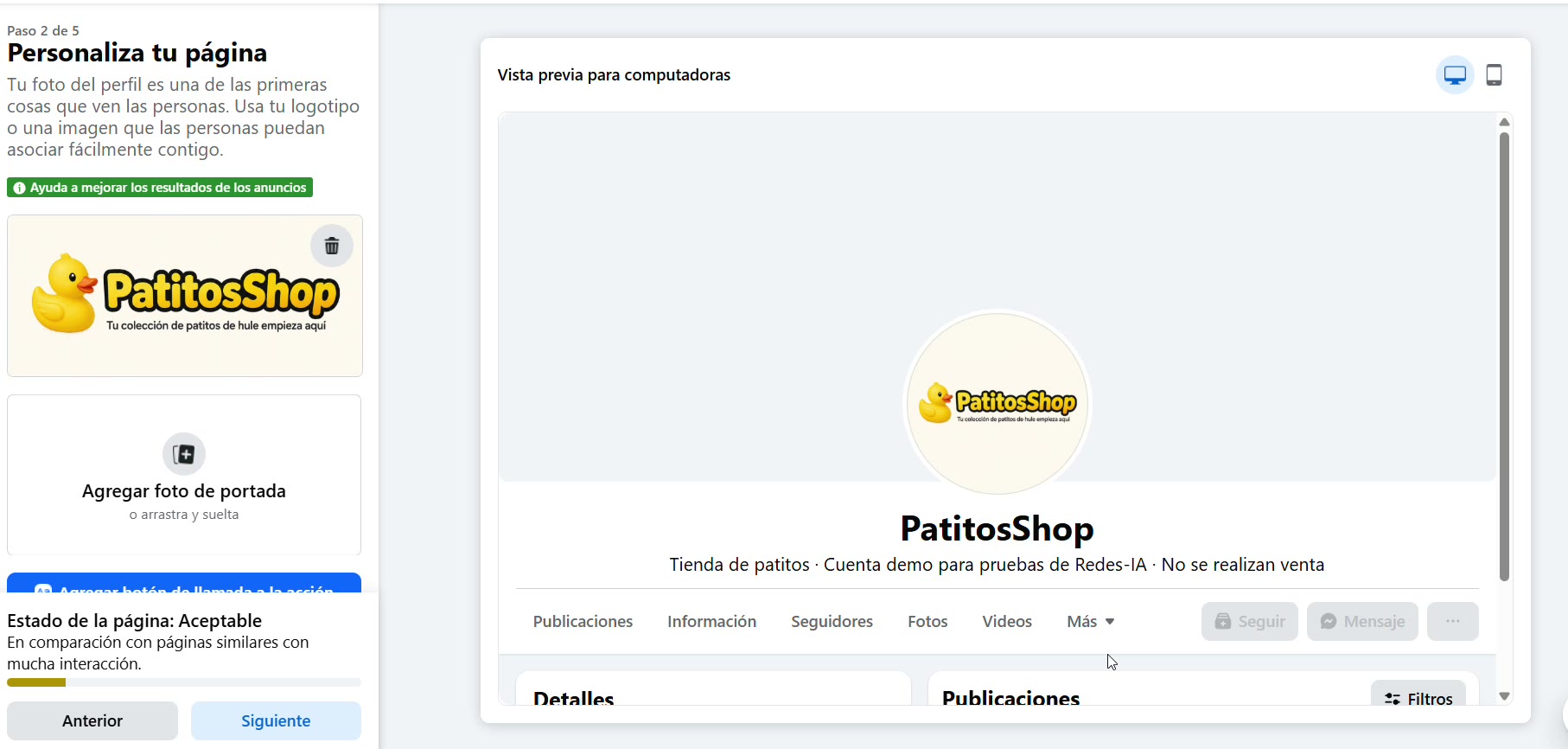
Upload your logo as the profile picture
Use your logo or an image people easily associate with your business. You can add the cover photo right here or later, using a photo of your products.
- 5
Publish the Page
The contact details are optional, and you can fill them in later. With this, your Page is ready to be connected to Instagram.