How your credits and your plan work
Every text, image or logo generation uses credits — so you know how many you have left and when it makes sense to upgrade your plan.
Steps
The screenshots show RedesIA and the other apps with their interface in Spanish; the steps are the same in English.
- 1
Check your available credits
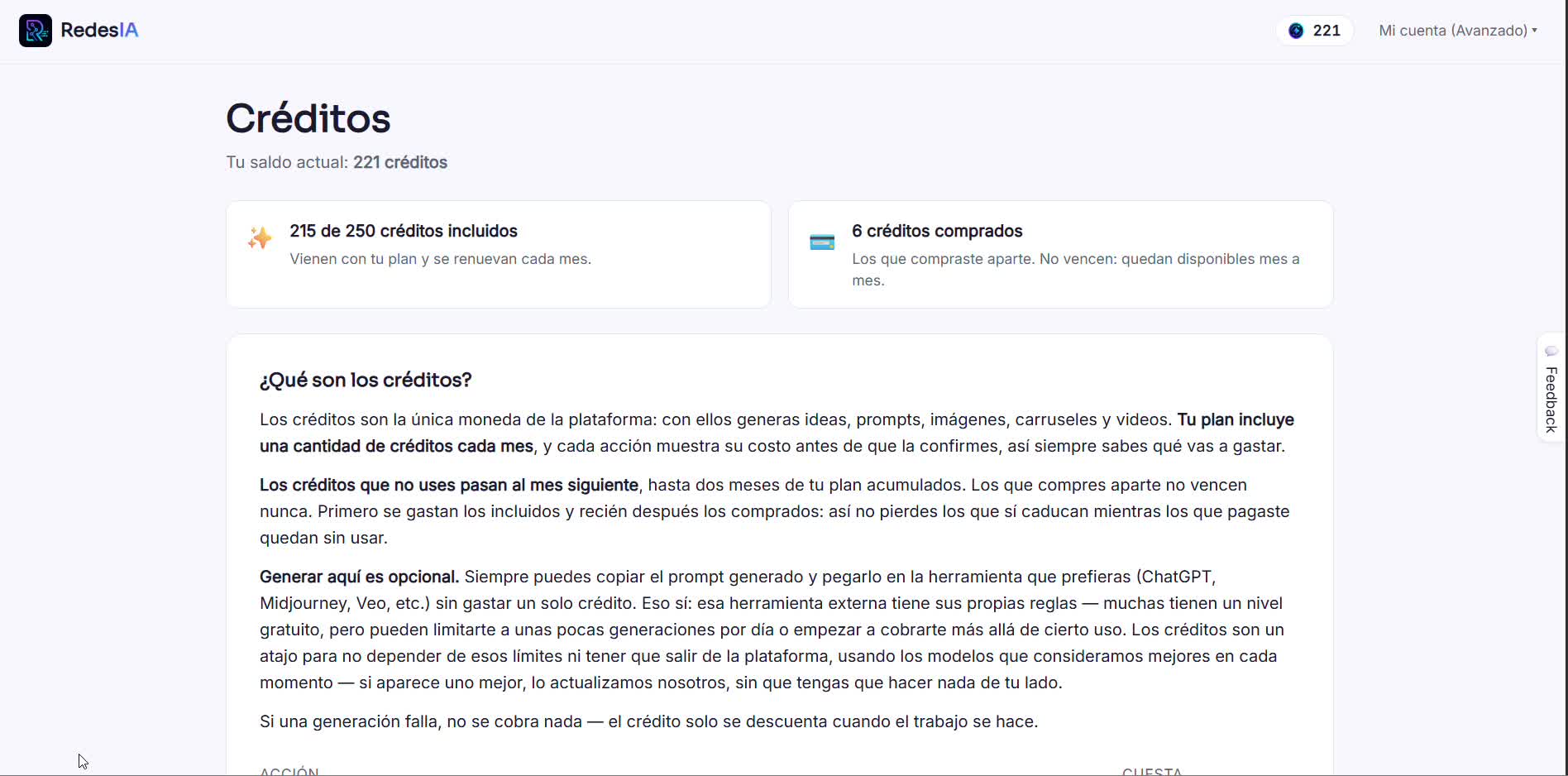
In Credits you see your current balance, the ones that come with your plan and the ones you bought separately — the latter never expire.
- 2
Understand what uses credits
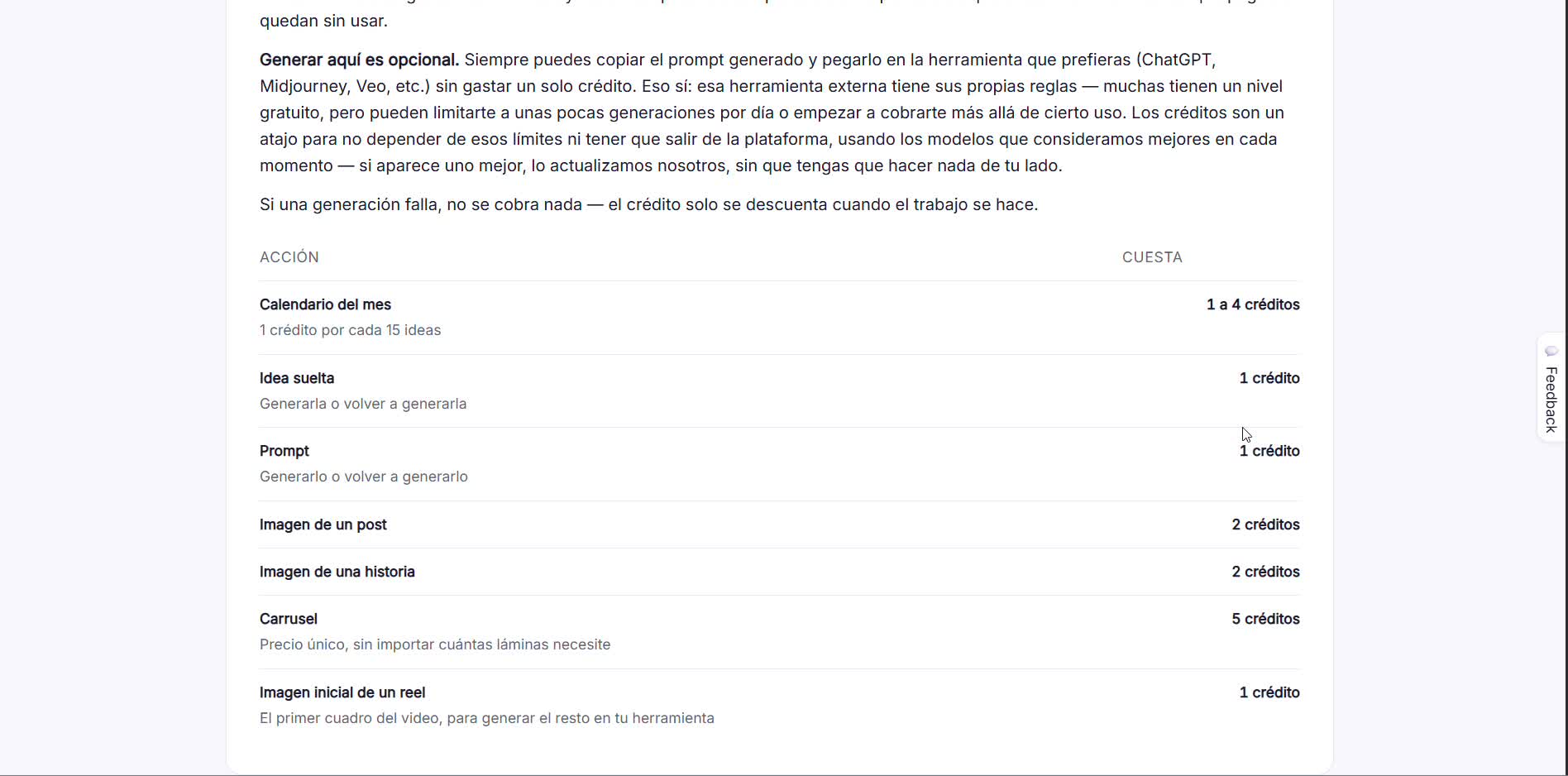
Each action has a fixed cost: an idea or a prompt costs 1 credit, a post or story image 2, a carousel 5 no matter how many slides. Generating is optional — you can always copy the prompt and use it for free in another tool.
- 3
Buy extra credits
If you run out before the end of the month, you can buy a package of 10, 20 or 50 credits, or turn on auto-recharge for when your balance drops below a threshold.

- 4
Review your usage history
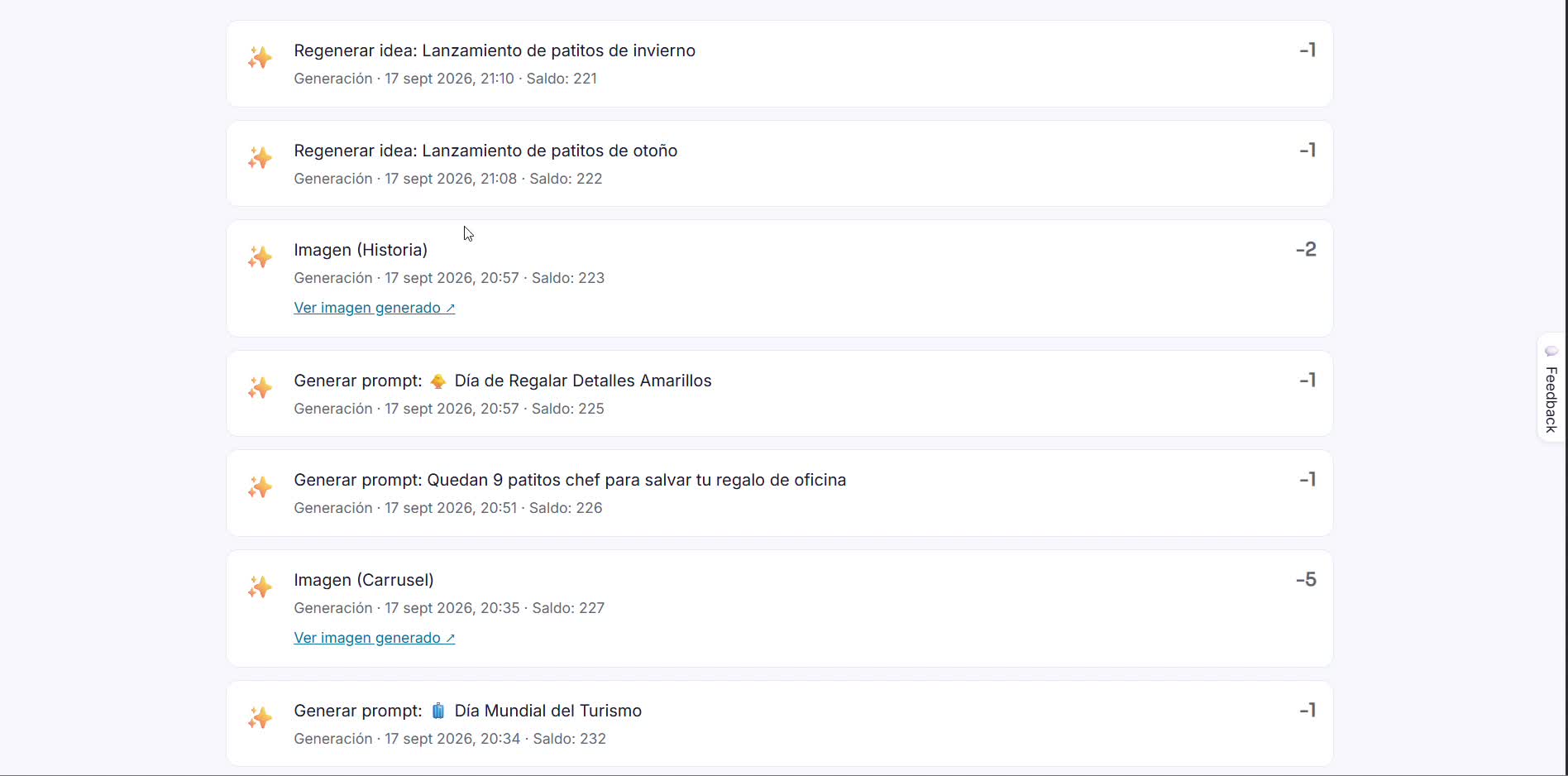
See exactly what you spent each credit on — ideas, prompts, images and carousels — with the date and remaining balance on every transaction.